
Roles, extensions and dark mode
As your team grows, not everyone needs the same access. Roles let you choose who hears recordings, who edits call flows and who handles billing. Extensions give each teammate a short number callers can dial to reach them directly. And Ringhouse now comes in dark.
Make a role for each kind of teammate
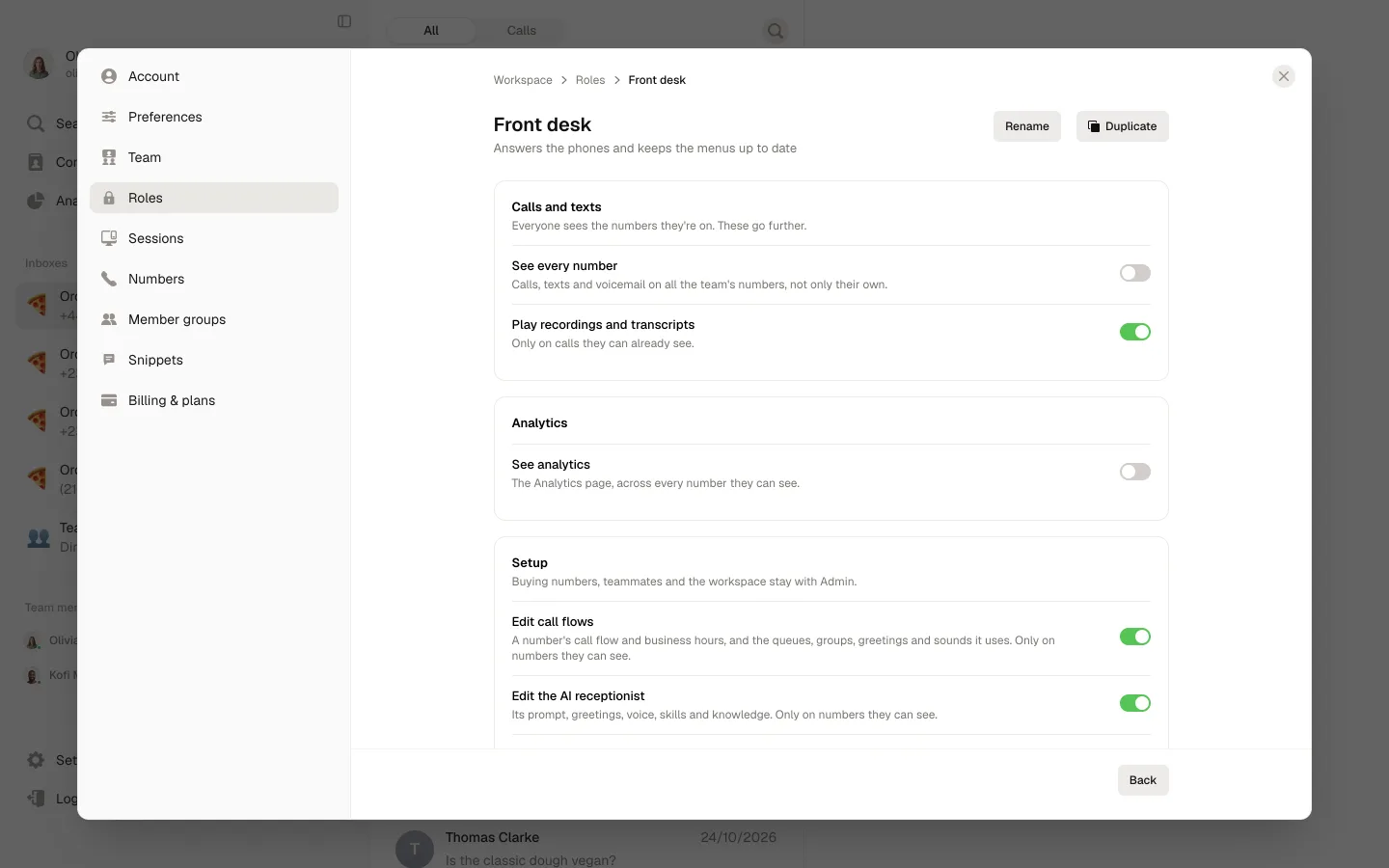
In Settings → Roles, create a role such as Front desk or Office manager and switch on what it can do: see every number, play call recordings, view team analytics, edit call flows, edit the AI receptionist and manage billing. Buying numbers, adding teammates and the workspace stay with your admins.
Give it to the people who need it
Add teammates to a role from its page, or pick a role for someone in Settings → Team. A teammate sees the settings their role covers; the rest are greyed out and say why.
An extension for every teammate
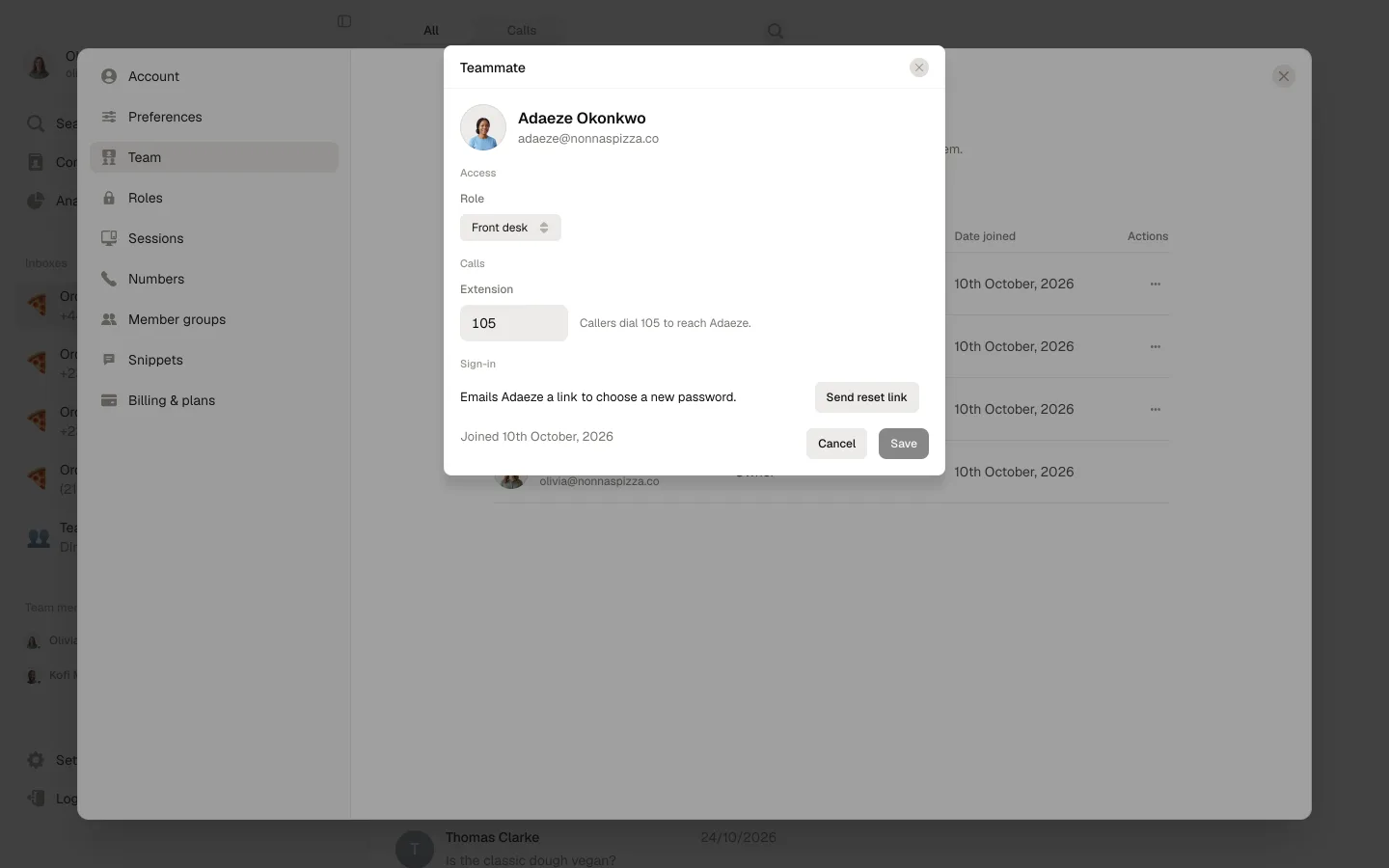
Open a teammate in Settings → Team and give them an extension of 2 to 6 digits. Each extension belongs to one person, so no two teammates can share one.
Let callers dial an extension
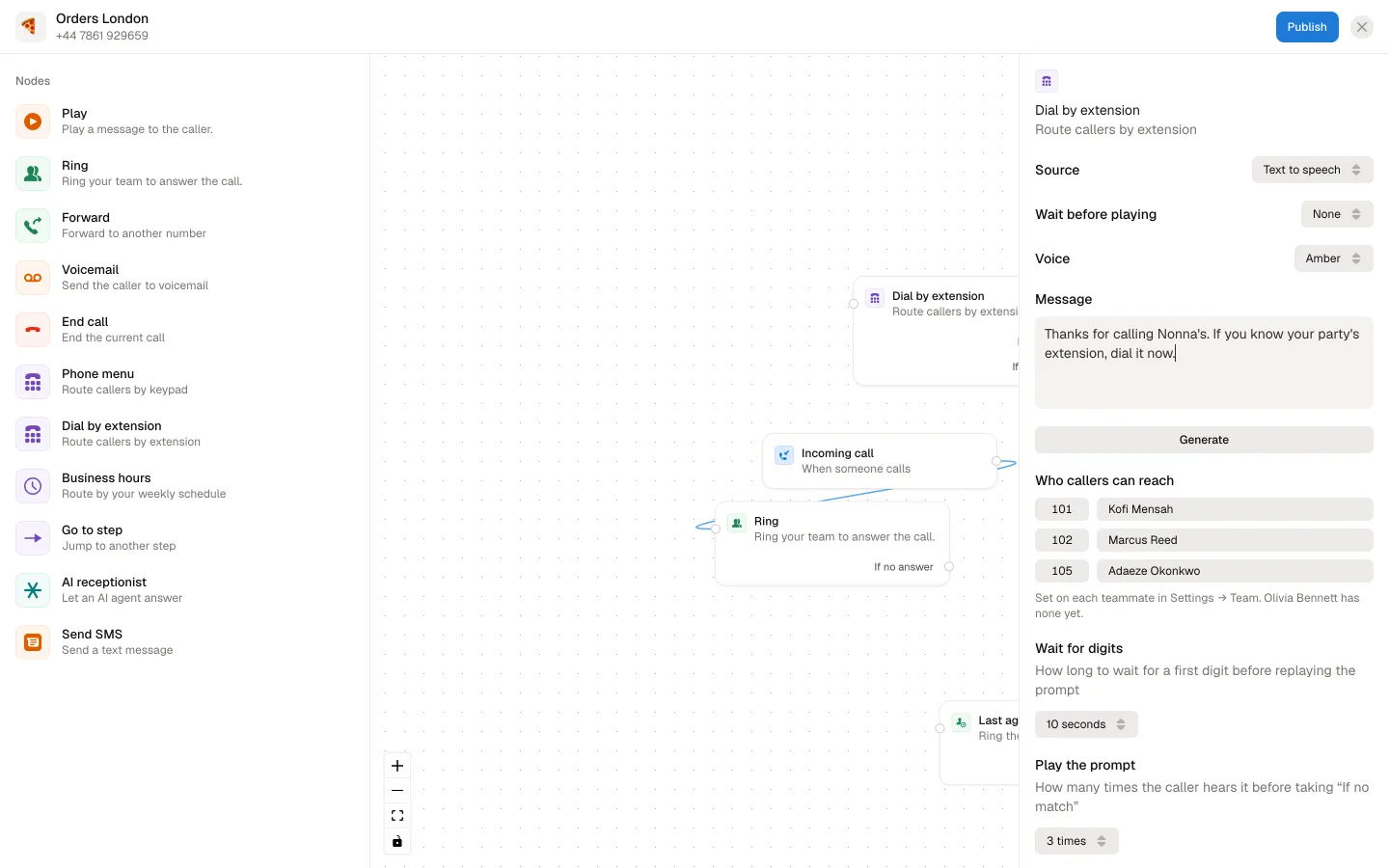
Add a Dial by extension step to a number's call flow. Callers hear your message, type the extension and ring that teammate straight away. You choose what happens if the extension doesn't match or nobody answers.
Dark mode, in beta
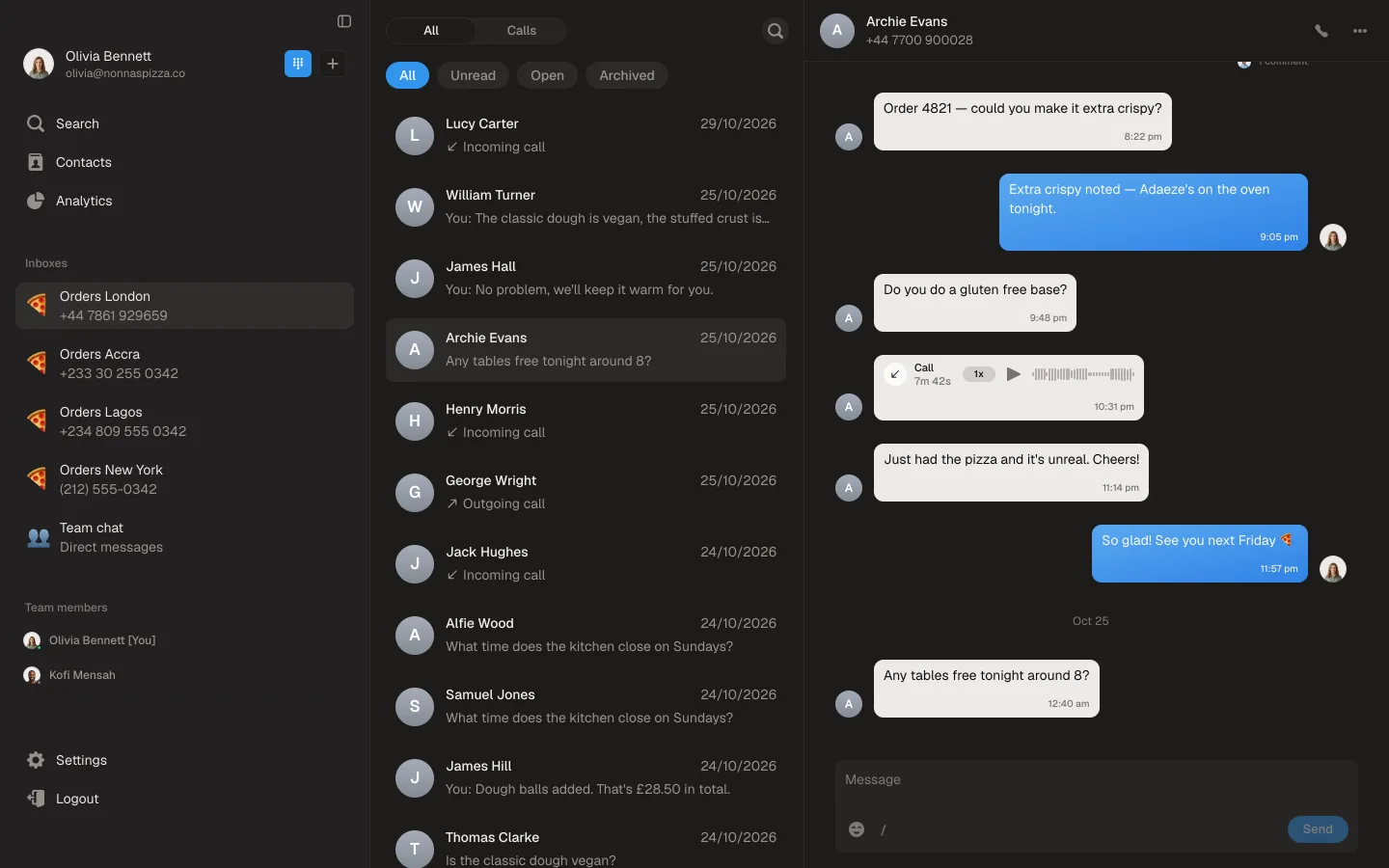
Ringhouse now comes in dark. Choose it in Settings → Preferences → Appearance, or pick System to follow your computer. It's a beta, so if anything looks off, tell us.
Also in this update
Pick your microphone and speaker in Settings → Preferences.
On the Mac app, the ringtone stops as soon as you answer from the corner pop-up.
Hear about the next one
One email a week at most. No marketing.